


Taking awesome photos during a Walt Disney World trip isn’t simply about the camera you bring or the location you choose. It’s also about what you do with the pictures after they’re snapped. Editing photos is an important (and fun!) part preserving your Disney Memories. With a few simple tweaks you can brighten a dark photo, make the colors in the parks come to life with a bit of vibrancy and contrast, or instantly share your memories with friends and family.

Taking a few minutes to edit your photos from your vacation doesn’t have to take a lot of time or effort either. In fact, a simple boost of exposure, contrast, saturation, or clarity can be a relaxing way to pass the time while you’re waiting in line to meet your favorite character or ride the most popular rides.

Below are 6 of my current favorite phone apps for sharing, tweaking, or editing photos from your next Disney trip and how I’m using them.
This is the popular visual based social media app, and I’m starting here because once you snap your photos you’re going to want a place to show off how much FUN you’re having with your family. Not only can you share with your family and friends but you can also connect with other disney goers by adding a few hashtags to your photo posts. Try #wdw #disney #disneyworld #disneyland and see who you connect with.
Get the app for Apple or Android HERE

Picmonkey
Picmonkey is a great tool for online base editing, but they now have a photo app as well! You can do all the most simple tweaks like exposure, brightness, and contrast. But you also have the ability to have even more fun with easy to apply filters (which have effects), digital stickers, text, and more!
Get the app for Apple or Android HERE
Mextures
This is another photo editing based app (available on Apple devices only). It’s a little more advanced to use, but it’s a whole lot of FUN! Mextures works in ‘layers’ of texture and you can apply really unique blends of color or depth to your photos for something different and fun to share.
Get the app for Apple HERE
Sketch Guru
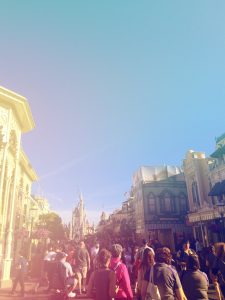
Want to turn your Disney photos into works of art? This is a unique way to do it. Sketch guru allows you to turn any photo into a sketched drawing. With settings like watercolor, pencil, crayon, and more – you can create different images than your standard photo edit.
Get the app for Apple HERE
Get the app for Android HERE
DipTic
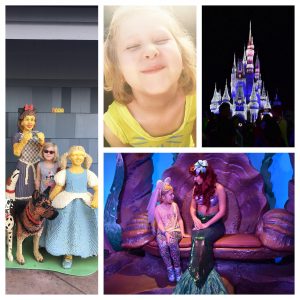
If you’re looking for a simple way to collage together several photos, look no further! Diptic makes simple collage images from your photos. This would be great to showcase a bunch of photos from one park, a variety of photos of character Meet and Greets, or any other set of photos you can dream up!
Get the app for Apple or Android HERE
Social Print Studio
After you’re finished taking and editing all your photos, don’t forget to print them! Social Print Studio is my favorite resource for unique photo gifts and their app is super simple to use! From magnets, to photo strips, to miniature size books you could easily order something in one night from your hotel and have it waiting for you at your house by the time your vacation is over!
Get the app for Apple or Android HERE

(All photos from the author’s personal collection.)
What’s your favorite way to edit, share, or print your Disney photos? I’d love to hear what apps, resources or tools you’re using in the comments.
 Beryl Young is the founder of Recapture Self a community for moms who are ready to reclaim their identity beyond parent – using creativity as a guide. Disney is her happy place and she admits to using planning her next Disney trip as a form of self-care. If you would like to learn more about taking care of you, snapping great photos, or register for a FREE photo class, visit her site here.


